
New OnePlus Android 17 Update Is the End of OxygenOS
The OnePlus Android 17 update is rolling out early in India as ColorOS 17. See which phones get it when, what changes, and whether to install now.


The OnePlus Android 17 update is here, and it arrived early. OnePlus had promised the stable build for 29 October. However, OnePlus 15 and OnePlus Pad 4 owners started getting it from 23 October, and the rollout begins in India.
This is not a normal yearly update. It replaces OxygenOS with OPPO’s ColorOS 17. So if you own a OnePlus phone in India, the software you bought it for is changing.
Below, we answer what you actually need to know: when your phone gets it, what changes, how to install it, and whether you should tap “Download” today or wait a week.
The Short Version
- What: Stable ColorOS 17, based on Android 17, for OnePlus phones. It is the first update that moves OnePlus from OxygenOS to ColorOS.
- Who has it now: OnePlus 15 and OnePlus Pad 4, in batches, starting in India.
- Who is next: OnePlus 15R, OnePlus 13 and OnePlus 13s are scheduled for 30 October.
- Can you say no: Yes. OnePlus says the switch is voluntary, and a rollback to OxygenOS is promised.
- Our advice: Most people should wait a few days for the first fixes, unless they joined the beta.
When Will Your Phone Get the OnePlus Android 17 Update?
OnePlus has published a phased schedule. The OnePlus 15 was meant to be first on 29 October, but it jumped the queue by about six days. According to 9to5Google, the rollout starts in India and should reach other regions in the coming days.
Here is the full schedule, as compiled by Android Police:
When | OnePlus devices |
|---|---|
29 October 2026 (started early) | OnePlus 15, OnePlus Pad 4 |
30 October 2026 | OnePlus 15R, OnePlus 13, OnePlus 13s |
November 2026 | OnePlus Open, OnePlus 13R, OnePlus 12, Nord 6, Nord CE6, Pad 3 |
December 2026 | OnePlus 12R (incl. Genshin Impact Edition), OnePlus 11, Nord 5, Nord CE6 Lite, Nord CE5, Pad 2, Pad Go 2 |
Q1 2027 | Nord 4, OnePlus N6, N6x, N6 Lite, Pad Lite |
Keep one thing in mind. The rollout is staged. Android Authority reports that open beta users get it first, and only a small share of other users see the notification at the start. So if your OnePlus 15 shows nothing yet, nothing is wrong.
Also, OnePlus earlier said its ColorOS 17 India date was not fixed. We covered that in our post on the ColorOS 17 update for OnePlus with no India date. That question is now settled.
So what do you actually get once it lands?
What Changes With ColorOS 17 on the OnePlus 15?
The update brings Android 17 plus OPPO’s own design and AI layer. Feature availability can vary by model and country, so treat this as the headline list, not a promise for every phone.
A new look and feel
- Living Flow Design: more translucent menus, a glass-like Control Center and notification cards, and controls that stretch when you touch them.
- Animations: revamped motion and progressive blur in more system apps.
- Quick settings: an enhanced panel with deeper customisation.
Speed and battery claims
OPPO says its new engines improve app launch stability and keep more apps alive in the background. For example, NPowerUser lists a claimed improvement of up to 25% in background app retention. However, these are company claims. We have not tested them, and you should not expect miracles on day one.
AI features
- AI Mind Space: save things with one tap and summarise PDFs.
- AI Mind Pilot: an on-device agent that can group travel receipts and organise photos.
- AI Call Guard: flags synthetic voices and face-swap tricks during calls. That is useful in India, where scam calls are common.
The NPowerUser changelog report lists the OnePlus 15 build as CPH2745_17.0.0.102, at about 533.56MB for phones already on a recent build.
The bigger question for many owners is not features, though. It is the name on the software.
Is OxygenOS Really Gone?
In practical terms, yes. In July 2026, OnePlus confirmed it was exiting Europe and North America and moving its phones to ColorOS. It also said India remains a key market, with more than 600 service centres.
However, there are three important details:
- The switch is voluntary. OnePlus says eligible users can choose to update to ColorOS.
- You keep your support period. Phones that stay on OxygenOS still get updates and security patches for their promised support window.
- Rollback is promised, but not yet detailed. OnePlus says exact rollback versions will be announced later. Also, going back to OxygenOS 16 is expected to erase all data on the phone.
That means you can skip the OnePlus Android 17 update for now. But in the long run, new Android versions on OnePlus will come as ColorOS.
If you have decided to go ahead, here is how.
How to Install the OnePlus Android 17 Update
Before you start the OnePlus Android 17 update, back up your phone. The update is designed to keep your data, but a backup costs you nothing.
- Charge your phone above 50% and connect to stable Wi-Fi.
- Back up photos, chats and files (Google One, or your PC).
- Open Settings.
- Tap About device.
- Tap the Software update banner at the top.
- If ColorOS 17 shows up, tap Download & install.
- Leave the phone alone until it restarts. Do not power it off mid-install.
If you see no update, wait. Pushes come in batches, and forcing a manual install from unofficial files is not worth the risk.
Should You Install the OnePlus Android 17 Update Now or Wait?
This depends on how you use your phone. Here is our honest verdict.
- Beta testers: Install now. You are already on ColorOS, and the stable build should fix beta bugs.
- Enthusiasts who love new features: Go ahead, but back up first and expect some app glitches in week one.
- People who use the phone for work or UPI payments all day: Wait about one to two weeks. Let the first patch land and check that your banking apps work well.
- Fans of OxygenOS’s clean, light look: Wait. Try ColorOS on a friend’s phone first. The switch is optional, and rollback details are still not out.
- OnePlus 13 and 15R owners: Your turn is 30 October. Read early reports from 15 owners before you install.
In short, the OnePlus Android 17 update is not urgent. It is a big change, so a short wait is the smart move for most buyers.
Does the OnePlus Android 17 Update Change Whether You Should Buy a OnePlus 15?
A little. Some buyers picked OnePlus for OxygenOS. That reason is now fading, so judge the OnePlus 15 on hardware, price and support.
Prices have also moved a lot. The OnePlus 15 launched in India at Rs 72,999 for 12GB/256GB. It later went up after price hikes, and during Amazon’s Great Indian Festival it was listed at Rs 81,999 against a regular Rs 85,999, according to The Tech Outlook. Check the live price before you buy.
OnePlus 15 (12GB/256GB) | Price in India |
|---|---|
Launch price | Rs 72,999 |
Regular Amazon price (October 2026) | Rs 85,999 |
Great Indian Festival sale price | Rs 81,999 |
We explained the gap in detail in why the OnePlus 15 sale price is still above launch. If you are torn between generations, our OnePlus 16 vs OnePlus 15 comparison will help.
Our take: if you liked the OnePlus 15 for its battery, speed and display, ColorOS 17 does not change that. But if OxygenOS was the main reason, try ColorOS in a store first.
What to Watch Next
This story is still developing. Here is what we are tracking:
- 30 October: whether the OnePlus 15R, 13 and 13s get the update on time, or early like the OnePlus 15.
- The first patch: early bug reports and a follow-up build for the OnePlus 15.
- Rollback steps: official OxygenOS rollback versions and instructions.
- Rivals: Samsung is rolling out its own Android 17 skin. See our guide to the One UI 9 India rollout and eligible phones.
We will update this post as OnePlus shares more.
Conclusion
The OnePlus Android 17 update has started early in India, and it marks a real turning point. OxygenOS is giving way to ColorOS 17. The new build brings a fresh design, AI tools and a scam-call guard. However, it is optional, and a short wait for the first fixes is wise for most people.
Have you installed ColorOS 17 on your OnePlus 15 yet, and do you like it more than OxygenOS? Tell us in the comments.
Read next

Xiaomi 18 Pro Global Launch: It Costs More, and the Best Part Shrinks to 6,000mAh, With 1 Big Warning
The Xiaomi 18 Pro global launch is near, but leaked EU listings show a 6,000mAh battery, not 7,000mAh, and a far higher price. Who should wait or skip.

Infinix GT 50 Pro Price in India: Is Rs 35,000 the Best Deal for Gamers? 1 Big Warning
The Infinix GT 50 Pro price in India is tipped at Rs 35,000 before the 27 October launch. That is Rs 10,000 over the GT 30 Pro. Buy, wait or skip?
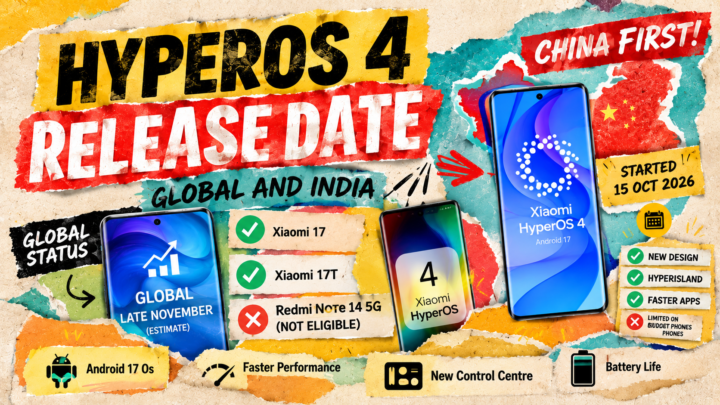
HyperOS 4 Release Date: 12 Devices Get the Best Free Update First, With 1 Warning
The HyperOS 4 release date: stable began in China on 15 October for 12 devices. When global Xiaomi, Redmi and POCO phones should get it, and who misses out.