
Nothing OS 5 Update Is Here: The Best New Features
Nothing OS 5 update is now rolling out to Phone (4a), (4a) Pro, (3a) and (3a) Pro. See the best new features, what's missing and how to get it in India.

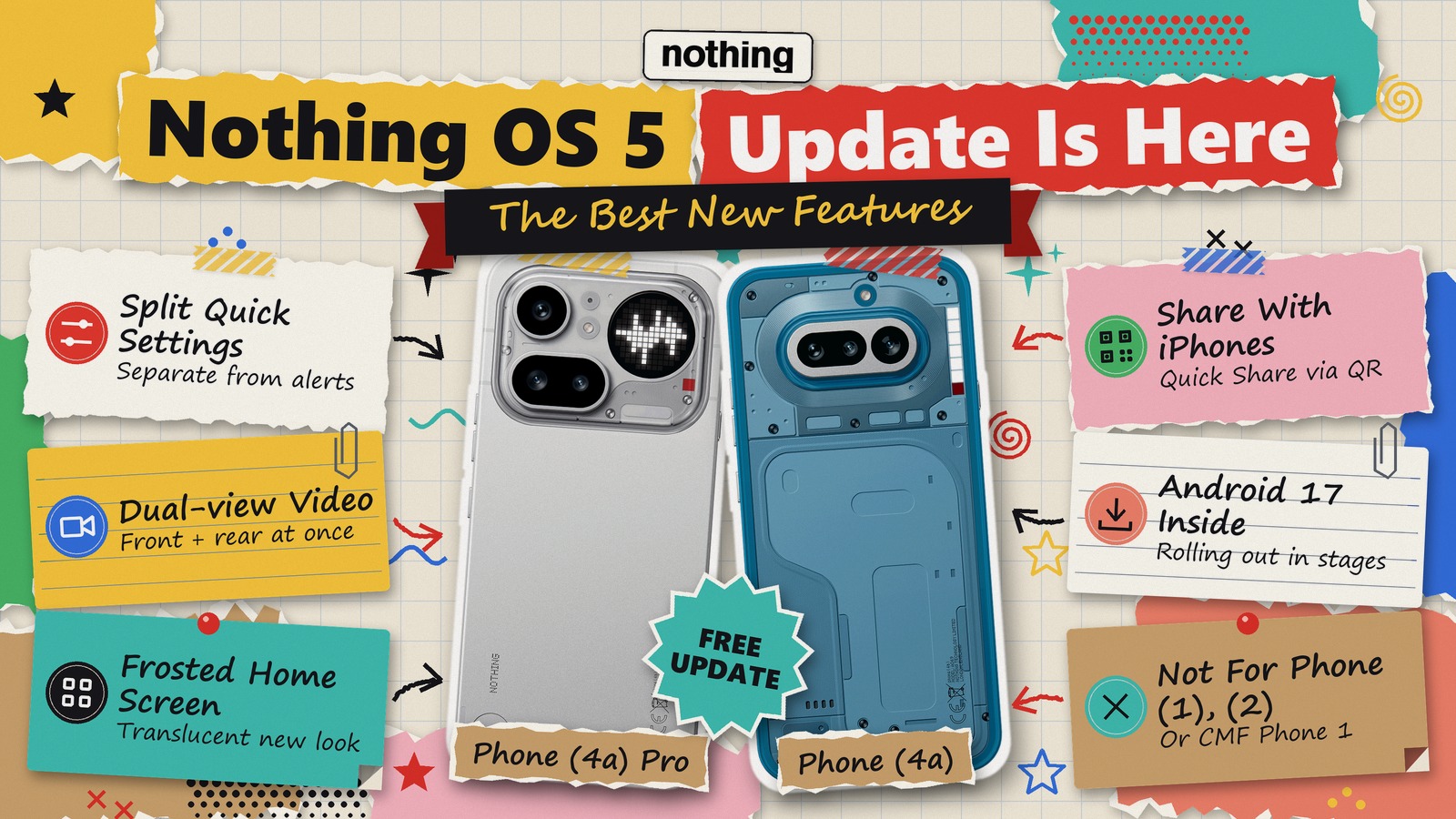
The Nothing OS 5 update is now rolling out to the Phone (4a), Phone (4a) Pro, Phone (3a) and Phone (3a) Pro. The rollout began on 30 October, ahead of the early November window Nothing had promised.
That matters if you bought one of these phones in India. You get Android 17 for free, while most Android phones are still waiting. However, the rollout is staggered, so your phone may not show it yet.
This guide covers the best new features, what is still missing, how to check for it, and whether you should install it today.
The Short Version
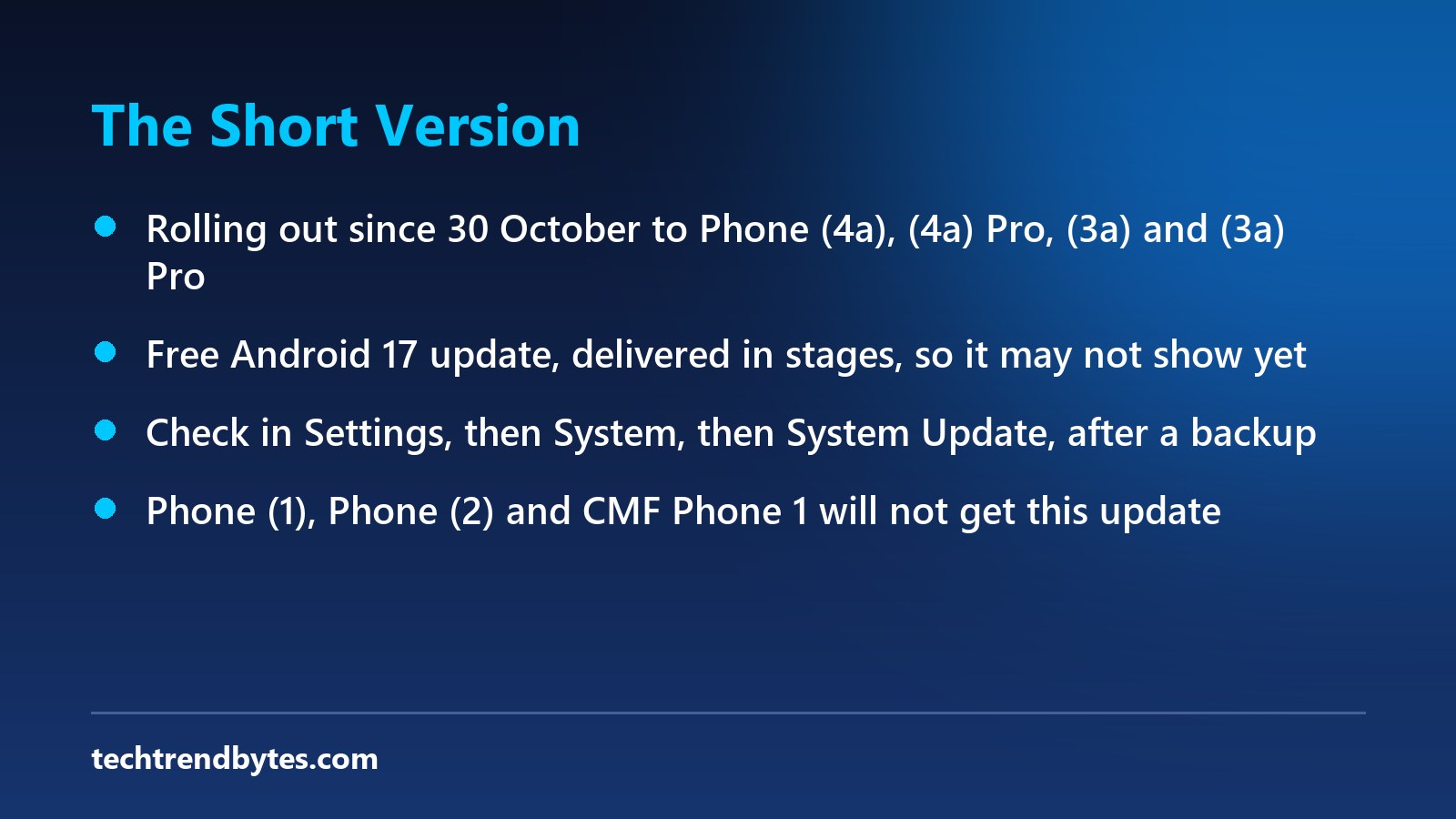
- Who gets it now: Phone (4a), (4a) Pro, (3a) and (3a) Pro, in stages.
- What it is: Nothing OS 5.0, based on Android 17, free over the air.
- Best additions: Split Quick Settings, Dual-view Video, a translucent home screen, and QR sharing with iPhones.
- Still to come: Essential Key remapping and real-time translation in Essential Voice.
- Our verdict: Back up and install it, unless you depend on one banking or work app that has not been tested yet.
Which Phones Get the Nothing OS 5 Update, and When?
Nothing’s official Nothing OS page lists the schedule below. It calls the timings indicative, and says they can vary by region and carrier.
Phone | Stable release |
|---|---|
Phone (3) | From 12 October |
Phone (4a) Pro, (4a), (3a) Pro, (3a) | Started 30 October |
Phone (2a), (2a) Plus | Mid November |
Phone (3a) Lite | Late December |
Phone (4b), CMF Phone 2 Pro | Mid January 2027 |
Three phones miss out completely. Those are the Phone (1), Phone (2) and CMF Phone 1, which Business Today reports have reached the end of major software support.
If you own a Phone (2), that is the real news here. So your phone will not get Android 17 from Nothing, and your next upgrade decision just came closer.
Has the Nothing OS 5 Update Reached India?
Nothing has not published a separate India date. Beebom reported the rollout at 5:38 pm IST on 30 October. But that report does not say which countries are first.
So treat it this way. If your phone does not show it today, nothing is wrong. Staged rollouts often take days, and Nothing’s own target was early November anyway.
Here are the builds to look for, as Jetstream reported from Nothing’s firmware posts.
Phone | Build number |
|---|---|
Phone (4a) Pro | C5.0-261021-1625 |
Phone (4a) | C5.0-261023-2145 |
Phone (3a) | C5.0-261023-2146 |
Phone (3a) Pro | C5.0-261023-2146 |
Knowing the build helps you spot the real thing. Next, here is how to get it.
How to Get the Nothing OS 5 Update on Your Phone
- Back up your photos, contacts and call logs first. Android Pure reports that Nothing recommends this before installing.
- Connect to Wi-Fi, because the file is large. Nothing’s stable size has not been published, but the earlier beta for the 4a Pro was 2.73GB.
- Charge the phone well above half. Your phone may run warm and use more power while it installs.
- Open Settings, then System, then System Update.
- Tap to check for updates, then download and install if it appears.
- Do not use unofficial downloads. If it is not showing, simply check again in a day or two.
Once it is installed, these are the changes worth trying first.
What Are the Best Features in the Nothing OS 5 Update?
A home screen that finally looks new
There is a translucent, frosted-glass theme. Icon and widget colours now follow your wallpaper. You also get new Gooey and Micrographics clock faces, plus the new Geist typeface across the system.
You can now move several apps and widgets at once. That is a small change, but you will use it often.
Split Quick Settings
Notifications and Quick Settings now sit in separate panels. So if you pull down for Wi-Fi, you no longer dig through messages first. Some people will dislike this, because it takes a moment to relearn.
Dual-view Video and a refreshed camera
Dual-view Video records from the front and rear cameras at once. For example, it suits travel vlogs and reaction clips. Nothing also lists improvements to zoom, close-up shots, QR scanning and Motion Photo playback.
The two series differ slightly. The Phone (3a) models add Tuning effects, upgraded Presets and video filters. The Phone (4a) models instead get faster Essential Voice transcription.
Sharing with iPhones
Quick Share now works through QR codes with iPhones. That could matter in Indian families where Android and iPhone users swap photos on WhatsApp and lose quality.
Clearer privacy signals
The status bar gains colour-coded privacy indicators. It tells you when something sensitive, like location access, is active.
Small upgrades you will notice
- Dark Theme: It now reaches more apps.
- HDR brightness: You can now adjust it, which helps at night.
- Bluetooth: There is a redesigned Quick Settings tile for connecting and disconnecting.
- New apps: Glyph, Glyph Timer, Away Time and Collector.
All of this sounds generous. However, some headline features are not fully here yet.
What Is Missing From the Nothing OS 5 Update?
Do not expect everything Nothing showed in August. Going by Nothing’s page and Android Authority’s beta report, several items arrive separately:
- Essential Key remapping: Android Authority reported this was planned for Nothing OS 5.1.
- Real-time translation in Essential Voice: Due later this year.
- Essential Apps Builder: It is in early beta, with gradual access.
- Essential Space capture redesign: It starts in November, through Google Play.
So if your phone updates and a feature is absent, it may simply not be out yet.
Is the Nothing OS 5 Update Safe to Install?
I found no official Nothing statement about a widespread bug in this release. The changelog reports I read list no known issues either.
Still, the rollout is only days old. Some Nothing Community threads mention heat and battery drain, but those are scattered user reports, and many are not clearly tied to this version. Battery life complaints on Android 17 in general have also been reported, so watch your first few days closely.
Nothing warned beta users about temporary battery and heat changes after updating. So give the phone a day or two to settle before you judge it. If the drain continues, our One UI 9 battery drain guide covers checks that apply to most Android phones.
There is one more catch. On the beta programme, rolling back erased all data. So do not count on an easy way back, and back up first.
How Does Nothing Compare With Other Android Brands?
Nothing is ahead of most of the market here. Android 17 sits on about 1% of devices so far, according to recent adoption figures, while Android 16 leads with about 25%.
Rivals are moving too. Beebom reports that Realme’s ColorOS 17 rollout in India started on 29 October, with 49 phones planned by the first quarter of 2027. OnePlus owners face a bigger change, which we covered in our OnePlus Android 17 update story.
Should You Buy a Nothing Phone Because of This Update?
The update does not change the hardware, so it should not decide your purchase alone. Here are the launch prices, for reference. Street prices have moved since then, so check before you pay.
Our earlier look at the Nothing Phone (4a) sale price explains the catches in those deals. And if you want a flagship, read our take on the Nothing Phone 3 in 2026.
Reports also say Nothing plans about twice as many phones in 2027. No models are confirmed, so that alone is no reason to wait.
Our Verdict: Install, Wait or Skip?
- Install now: Phone (4a) and (3a) owners who like new features and have a backup ready.
- Wait a week: Anyone who relies on the phone for work, banking or UPI, and cannot afford a bad day.
- Wait for your turn: Phone (2a) owners, with mid November as the target.
- Time to plan an upgrade: Phone (1), Phone (2) and CMF Phone 1 owners, because Android 17 is not coming.
What to Watch Next
Watch for the Phone (2a) rollout and for any bug-fix patch in the next two weeks. We will update this post if Nothing confirms an India timeline or acknowledges a problem.
The Nothing OS 5 update looks like a solid, free upgrade, with a fresher design and useful Android 17 changes. Just back up first, and do not expect every Essential feature on day one.
Has the update reached your Nothing phone in India yet, and which build did you get? Tell us in the comments.
Read next
Pixel 11 Diwali Sale Price: How to Avoid a Painful Mistake on Google’s Rs 26,000 Offer
The Pixel 11 Diwali sale price is Rs 77,999 on Flipkart with a bank offer. Google's Rs 26,000 offer needs a trade-in and the 512GB model.
Android SMS of Death Warning: Get the New Fix
The Android SMS of Death bug lets one hidden text drop your calls, even emergency ones. See which patch fixes it and how to check your phone in 2 minutes.

OnePlus 16R Price in India Could Hit Rs 70,000: How to Avoid a Painful Money Mistake
The OnePlus 16R price in India is tipped at Rs 70,000 to Rs 75,000, far above the 15R's Rs 47,999 launch. Who should wait, buy or skip.