
Windows 11 Update 2026: 10 Big Changes Users Will Love

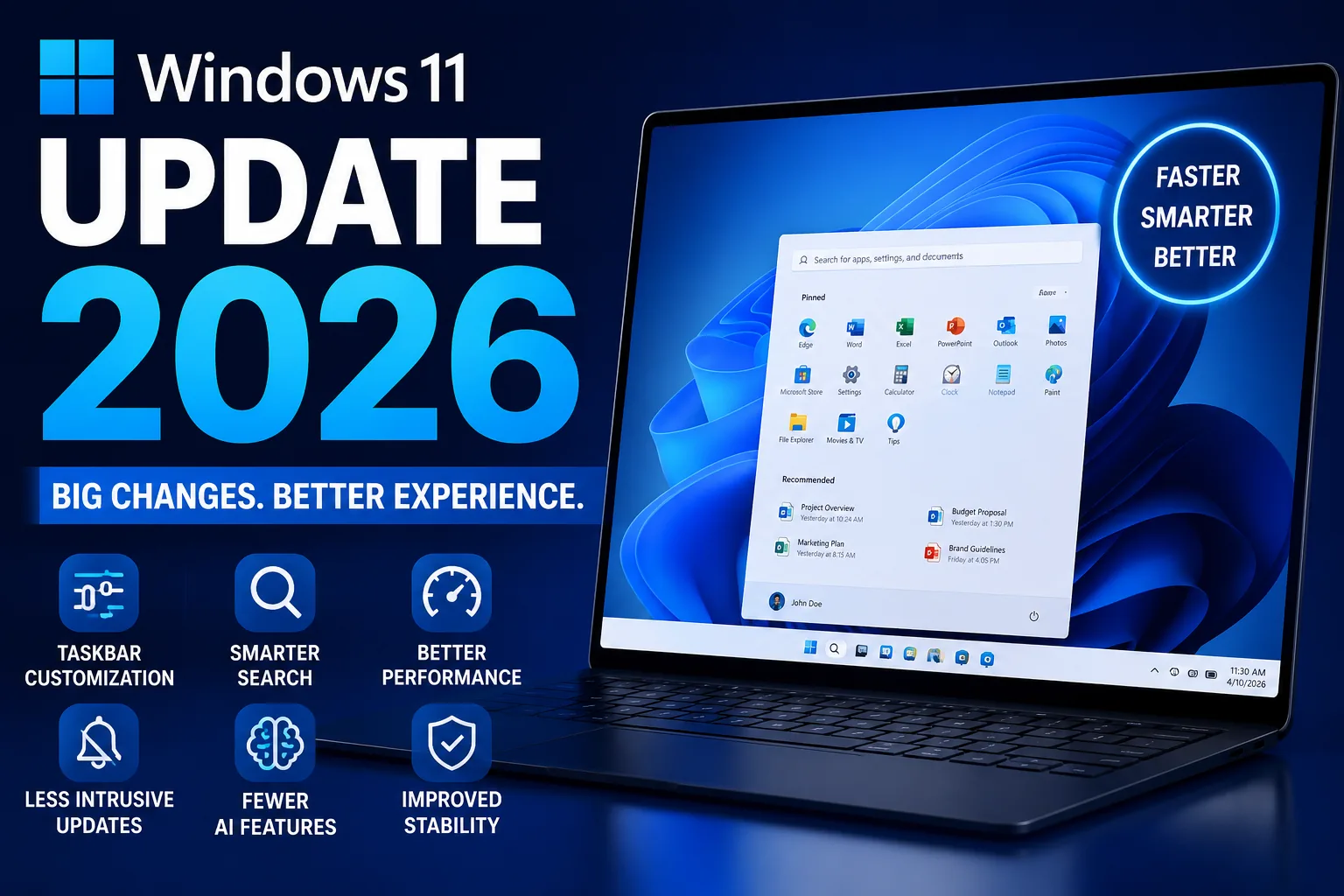
The Windows 11 Update 2026 could become one of the most important updates Microsoft has released in years. Instead of focusing mainly on AI features and visual changes, Microsoft is finally improving the everyday experience that millions of users care about most.
From better taskbar customization and smarter search to faster performance and fewer intrusive updates, the new Windows update appears designed to fix long-standing frustrations users have complained about since Windows 11 launched.
More importantly, Microsoft seems to be prioritizing usability and performance over unnecessary clutter. That alone makes this update feel very different from previous Windows releases.
Taskbar Customization Is Finally Returning
One of the biggest complaints about Windows 11 was the limited taskbar customization. Many users missed the flexibility available in older versions of Windows, especially the ability to move the taskbar and properly manage open apps.
Thankfully, the Windows 11 Update 2026 is bringing several useful changes back.
Users will reportedly be able to:
- Move the taskbar to the top, left, or right side
- Show labels for open applications
- Shrink the taskbar for more screen space
- Improve visibility of open tabs on smaller laptops
These changes may sound minor, but they can significantly improve productivity. Laptop users, programmers, office workers, and multitaskers will especially benefit from the improved layout options.
The return of app labels is another major improvement because users can identify applications faster without hovering over icons repeatedly.
Windows Widgets Are Becoming Less Annoying
Widgets were introduced as a way to provide quick information and recommendations, but many users found them distracting instead of helpful.
Random news feeds and accidental pop-ups became a common complaint.
Microsoft is now redesigning the widgets section into two separate areas:
- Discover
- Widgets
The Discover section will mainly show news and recommendations, while the Widgets section will focus on cleaner utility-based content.
Another important improvement is that widgets will no longer automatically open on hover by default. This should reduce accidental interruptions while working.
It is a small but meaningful quality-of-life improvement that makes Windows feel less intrusive.
Windows Search Is Finally Getting Smarter
The current Windows Search experience has frustrated users for years. Many people complained that local files and apps were often buried under Bing web results and online suggestions.
The Windows 11 Update 2026 aims to fix this problem.
Microsoft is reportedly redesigning Search to prioritize:
- Local files
- Installed apps
- Folders
- System settings
before displaying online search results.
This change could dramatically improve the everyday Windows experience because Search is something users rely on constantly. A smarter and faster search system can save time and reduce frustration immediately.
For many users, this may become one of the best features in the update.
Microsoft Is Reducing Unnecessary AI Features
Microsoft spent the last few years heavily pushing AI integrations and Copilot features across Windows. While some AI tools are genuinely useful, many users felt AI was being added to apps where it was unnecessary.
Now, Microsoft appears to be stepping back slightly.
According to reports, Copilot integrations are being removed from several built-in applications where users did not find them useful, including:
- Xbox
- Snipping Tool
- Other lightweight utilities
This suggests Microsoft is beginning to understand that users prefer AI features only when they provide real value.
Instead of forcing AI into every app, the company now seems focused on creating a cleaner and less distracting Windows experience.
Performance Improvements Could Make Laptops Feel Faster
Performance improvements are becoming a major focus in the Windows 11 Update 2026.
Microsoft is reportedly optimizing Windows to:
- Reduce CPU usage
- Lower GPU load
- Improve memory efficiency
- Reduce interface latency
The company is also migrating more parts of Windows to the newer WinUI 3 framework, which should help make animations and interactions smoother.
One of the most interesting additions is the new low latency profile.
This feature can temporarily increase CPU performance when launching apps or opening websites. As a result, applications may open several seconds faster, especially on budget and mid-range laptops.
For users with slower hardware, this could create a noticeably smoother experience during everyday tasks.
However, there may be some trade-offs. Higher CPU bursts could increase:
- Battery usage
- Heat generation
- Fan noise
particularly on older or less efficient laptops.
Still, many users may prefer slightly higher battery usage if it means Windows feels much faster and more responsive.
Windows Updates Are Becoming Less Intrusive
Windows updates have been one of the most frustrating parts of the operating system for years.
Unexpected restarts, forced update installations, and intrusive setup screens often interrupted work at the worst possible moments.
The Windows 11 Update 2026 finally gives users more control.
Microsoft is reportedly allowing users to:
- Pause updates for up to one month
- Restart or shut down without immediately installing updates
- Delay setup screens on new devices
These changes make Windows updates feel far less aggressive and give users more flexibility over when updates happen.
For many people, this alone could significantly improve the Windows experience.
Microsoft Wants to Reduce Blue Screen Errors
Microsoft also claims it is working to improve overall system stability and reduce the infamous Blue Screen of Death.
The company says it is focusing on:
- Better driver stability
- Improved app compatibility
- Reduced system crashes
Of course, reducing crashes across millions of hardware combinations is extremely difficult. Real-world testing will determine how effective these improvements actually are.
Still, it is encouraging to see Microsoft prioritizing reliability alongside performance.
Windows Insider Program Is Becoming Simpler
Microsoft is also simplifying the Windows Insider program.
Instead of multiple confusing preview channels, the program will reportedly move toward:
- Experimental
- Beta
A new Feature Flags page will also allow users to manually enable or disable hidden features more easily.
Another important improvement is that users may soon be able to switch Insider channels or leave preview builds without reinstalling Windows completely.
That is a major quality-of-life upgrade for enthusiasts and testers.
Which Users Will Benefit the Most?
The Windows 11 Update 2026 appears designed for all users, but the biggest improvements will likely be noticed by:
- Budget laptop users
- Mid-range PC owners
- Older hardware users
- Multitaskers
- Power users
Lower resource usage, improved responsiveness, and cleaner UI behavior can make less powerful systems feel significantly smoother during daily use.
Meanwhile, advanced users will appreciate the return of deeper customization options.
Final Thoughts
The Windows 11 Update 2026 feels like a major shift in Microsoft’s approach to Windows.
Instead of focusing only on AI and flashy redesigns, the company appears to be listening to real user complaints and improving the core experience people interact with every day.
Better taskbar customization, smarter search, reduced AI clutter, faster performance, and less intrusive updates are exactly the kinds of improvements many Windows users have wanted for years.
If Microsoft successfully delivers these features without major stability problems, the Windows 11 Update 2026 could easily become one of the most positively received Windows updates in recent years.
And honestly, that is something Windows users have been waiting for for a very long time.
Read next
OneDrive Storage Cut Warning: How to Protect Your Family Photos
The OneDrive storage cut shrinks Microsoft 365 Family from 6 TB to a shared 2 TB. See the dates, India prices and 6 steps to protect your files.
Bridging the Digital Divide: The Ultimate Guide to the Phone Link App
In a world where technology continues to evolve at a breakneck pace. By staying connected across multiple devices has become a critical aspect of daily life.…
How to Supercharge Your Windows 10 Experience: Setting CPU Priority for Peak Performance
Have you ever felt like your computer could be running your favorite apps just a tad faster? Well, you’re not alone. With a few tweaks, you…